Thứ Sáu, 28 tháng 6, 2013

I545 ALL-IN-ONE TOOL ROOT + RECOVERY INSTALLER


**READ READ READ AND READ AGAIN**

This tool was created to simplify the rooting and recovery installation on this device. The rooting method used is the same method already posted in this development section. I just put all the resources into a tool and provided easy to follow instructions. The root process is not a one click. You must read instructions in tool window for each step of the rooting process. It is very straightforward and easy to follow, but you must follow the instructions exactly. Once rooting is complete all other steps are one click features including recovery installation. 

Make sure you have latest samsung drivers installed. I recommend downloading Samsung Kies, It will automatically download latest drivers for you. Make sure unknown sources is checked and USB Debugging is enabled or the tool will not see your phone. Also make sure you do not have any pw or pattern lock screen enabled. As soon as you start step 1 check your phone screen. You will see a prompt to authorize your computer. Select ALWAYS ALLOW. This is the cause of the majority of errors. The Prep step (#2) removes install-recovery.sh and KNOXAgent.apk from your phone. These have been known to cause unwanted errors. 

If when rebooting from recovery you are prompted with a message advising root may have been lost would you like recovery to fix it? I have always chosen NO and had no issues.

I do not offer support on either recovery or any rom you flash after this process. Check their respective threads for any and all information. Links to both recovery threads are included as options in tool.

I've included latest CWM (credit OUDHS & Shabbypenguin) and TWRP (credit Team Win). The rooting method and kernels used were provided by sextape. The step by step root process from open1your1eyes0. The motochopper exploit was created by the legendary djrbliss. Also a big thanks to djrbliss for Loki, without which none of this would be possible. Make sure to find these fine folks and give thanks, money, beer, your first born..... whatever you see fit.
I'd also like to thank niv3d, an21281, CraziiChief and all of my other testers. I'd also like to thank my wife and kids for leaving me alone while I worked on this. Mirrors are ok, just pm me the link to list in the OP.

Hope this makes someones life easier.... Have a nice day!!!!

Instructions:
Download zip file
Unzip on desktop
Connect phone with USB debugging enabled
Click RUN_ME (inside unzipped folder)
Pick option and go!!
Have patience it takes a few for cpu to see phone after reboots and in Odin
dont disconnect phone until process is complete

If stock start with option 1 
If already rooted start with option 2 then choose recovery

Download-
I545 All-In-One Tool

https://mega.co.nz/#!89szUJQa!IYCKAk...oUC_PHKm9Qknl0

Mirror-

http://db.tt/NBN7UYLA

Dont forget to hit the thanks button and rate thread 5 stars:thumbup:
And if youd like to buy me a beer I wont complain :beer:

Thanks for the beer list::beer:
(Donations Received)
yamaharider
Michael Oconnell
SolemnSinner
Mills23
Eric Lee
Artiepea
JNava420
Footbaggi

No-Wipe Factory Image (Restore from any soft-brick without wiping data)


No-Wipe Factory Image for Verizon Galaxy S4

(Restore from any soft-brick without wiping data)


Description: This is a guide (based similar to my previous guide for the Verizon Galaxy S III) that will help you flash a 99.9% stock factory image for the Verizon Galaxy S4 overwriting every partition on the device back to stock. The ONLY major change I have made is for your convenience I have modified the factory image to keep all your data/apps/settings and internal storage partition intact. This method should help you restore from any soft-brick that you may encounter without having to wipe your data.

Minor Warning: Please note that if you had any special mods that you had to manually flash before or move on the system partition (like Google Wallet, AOSP 4.2 apps like camera and gallery, etc...) they will be lost as you are overwriting your system partition to factory stock. Please make sure to do the needful with your mods before following this guide (for example resetting the Google Wallet app).

Step 1 - Preparation

Quote:
  1. Download and Install Samsung Official USB Drivers - Link
  2. Download and extract ODIN v3.07 - Link
  3. Download and extract the VRUAMDK Factory Image (modified with No-Wipe) - Link

Step 2 - Flashing VRUAMDK Factory Image

Quote:
  • Boot phone into ODIN mode (See here for how-to)
  • Flash the VRUAMDK Factory Image using ODIN v3.07 ***in PDA section only*** (See here for guide on flashing)
  • You should now be able to boot back to Android and all your data should be intact exactly as it was

Step 3 - Restoring Root (Optional)

Quote:
  • Just follow this guide again after you are back up and running: Link Here

Step 4 - Restoring Custom Recovery (Optional)

Quote:
  • Make sure you are rooted first
  • For TWRP Recovery follow the steps in this thread (or download from Goomanager): Link Here
  • For CWM-based Recovery follow the steps in this thread: Link Here
  • For OUDHS Gesture Touch CWM-based Recovery follow the steps in this thread: Link Here

Credits

Credit goes to sextape for providing the original VRUAMDK Stock Firmware (Original Source)
Credit goes to mrRobinson for assisting to modify cache file (via PM)
Credit goes to alexcolodner for providing filehosting (via PM)

ROM works on EVERY TYPE OF HTC ONE


(International, Developer, AT&T US, T-Mobile US, Sprint US - only 4.1.2 based ROM has Sprint Support for NOW)


Warning!

Code:
#include 
/*
* Your warranty is now void.
*
* I am not responsible for bricked devices, dead SD cards,
* thermonuclear war, or you getting fired because the alarm app failed. Please
* do some research if you have any concerns about features included in this ROM
* before flashing it! YOU are choosing to make these modifications, and if
* you point the finger at me for messing up your device, I will laugh at you.
*/

Requirements

Code:
#include 
/*
* Unlocked Phone @ HTCDEV
* Custom Recovery
*/


Features

  • latest htc base: 2.19.401.1 - credits mike1986
  • more languages enabled (FULL WWE)
  • root, busybox and init.d support
  • persistent ADB enabled
  • ramdisk improvements
  • battery life, performance and memory improvements
  • improved AGPS by a lot
  • sysro / sysrw binaries
  • openvpn / sqlite support
  • disabled logging & removed bloatware
  • stripped debugging info
  • optimized with latest sdk.
  • advanced power menu - credits Dunc001 for the original mod
  • optional battery % mod - credits shnizlon
  • optional desense option - credits shnizlon
  • optional disable ugly 3-dot black bar
  • optional lower autobrightness values - credits he_stheone64
  • huge system app remove list - credits shnizlon
  • optional wake via volume buttons
  • optional to odex your ROM on flashing or at a later date
  • optional to get rid of the ugly power save persistent notification
  • optional disable exchange security
  • optional PureX sound
  • optional Louder Sound
  • optional Xposed Framework
  • optional NFC on when screen off
  • optional 5x6 Sense AppDrawer
  • optional 4x5 Sense HomeScreen
  • optional 4x5 Sense Homscreen and 5x6 AppDrawer
  • optional CallRecording Support
  • optional stock 4.2.2 camera (does not replace Sense Camera)
  • optional enhanced mms (biggers mms size / turn on screen on sms / mms receive)
  • optional center clock
  • optional remove battery icon completely (and use HTC % Battery Text)
  • optional transparent Status Bar / Navigation Bar / Folders
  • optional custom window transition animations
  • optional custom fonts.
  • Smoothest ROM
  • Best Battery Management
  • Fast fixes / updates
  • Nightlies and SVN support


Download & Changelog


http://api.viglink.com/api/click?format=go&key=f0a7f91912ae2b52e0700f73990eb321&loc=http%3A%2F%2Fforum.xda-developers.com%2Fshowthread.php%3Ft%3D2279766&v=1&libId=f3ffdb21-6132-4fd4-8460-b0df3790d544&out=http%3A%2F%2Finsertcoin-roms.org%2Fcategory%2Fdevices%2Fone%2F&ref=http%3A%2F%2Fforum.xda-developers.com%2Fforumdisplay.php%3Fs%3D6ab868480230c4d839e7a2d5bdf58e55%26f%3D2119&title=%5BROM%5DInsertCoin%202.1.2%20%7C%20Speed%20and%20Battery%7C%20Google%20Edition%20%7C%20SVN%20%7C%202.19.401.1%20-%20xda-developers&txt=InsertCoin%20Roms%20Website&jsonp=vglnk_jsonp_13724832723396

The latest Android OS 4.2.2 Jellybean for the Galaxy Nexus!


Important info (PLEASE READ):
1. This will create an /sdcard/0/ folder on your internal storage and move all your files in there. This is new behavior due to Android 4.2. (Use latest TWRP or CWP to prevent further nesting of 0 folders)
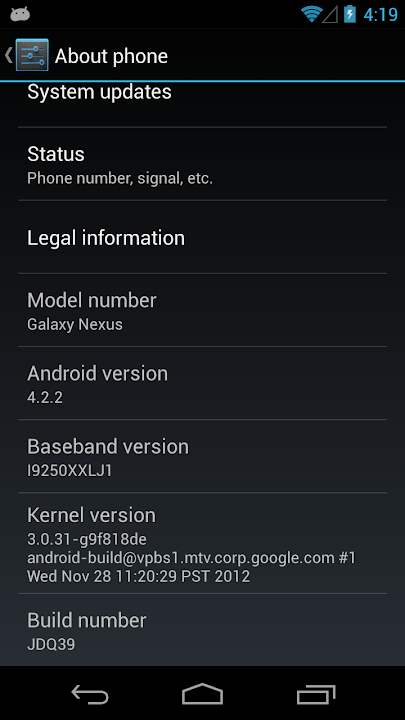
2. If you want to enable developer settings, you must click the "Build Number" in about phone 7 times to "unhide" the option.
3. Go into SuperSU and update binaries before using root features.


This is a stock build of Android 4.2.2, Jellybean, which was pushed to HSPA Galaxy Nexus devices OTA on 2/11/13. All I have done to it is rooted the system, installed busybox, set the boot.img to insecure, and packaged up the ROM into an easy to install zip file.

Features
  • The latest Android OS, 4.2.2 Jellybean build JDQ39
  • Insecure boot.img (allows for elevated commands such as adb remount)
  • Rooted with the latest su binary and SuperSU app
  • Busybox 1.21.0 installed for increased functionality of root applications and terminal commands
  • Deodexed for easy themeing and modding
  • Odexed version also available for purists

Credits
  • Google - for developing Jellybean, the best version of Android yet!
  • Chainfire - for quickly updating SuperSU for Jellybean!
  • Goo.im - a great host and resource for developers and the Android community in general
  • Anyone I may have missed - thanks for all your contributions!

Requirements
  • GSM Galaxy Nexus (GT-i9250) - your version does not matter (yakju, takju, etc)
  • ClockworkMod or TeamWin Recovery

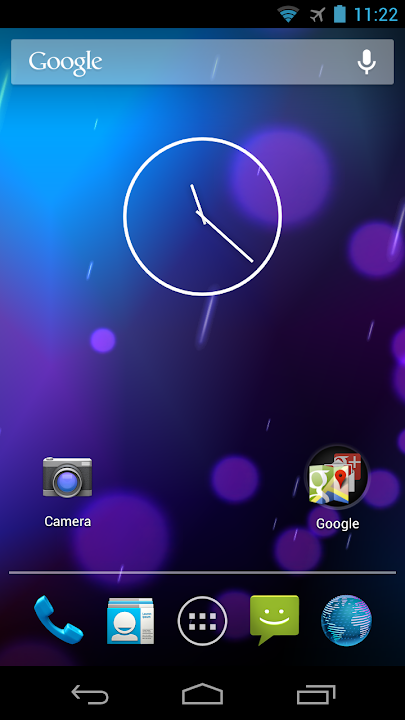
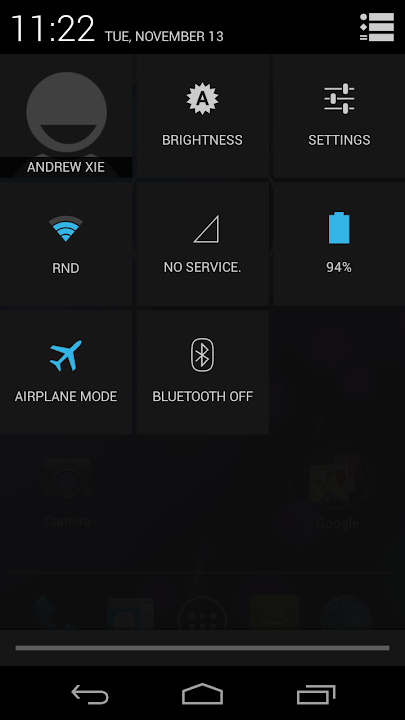
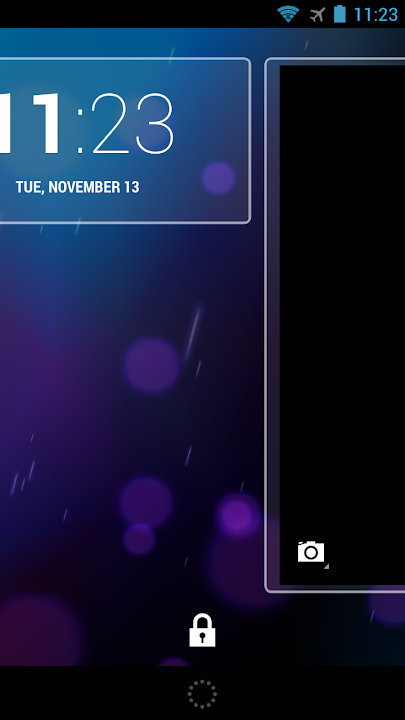
Screenshots


Instructions

1. If you are on any 4.0.x ROM, it is highly suggested you do a full factory reset (wipe data/cache in recovery) prior to flashing Jellybean! 

2. If you are upgrading from a 4.1.2 JB ROM you may be able to just wipe cache and dalvik cache.
  • Wipe accordingly as outlined above
  • Use your recovery to flash the ROM file
  • Do NOT flash any gapps - they are all included
  • Optionally, flash the baseband (radio) update if you'd like the newest one
  • Reboot - be patient, the initial boot may take a few minutes

Downloads - Current Version: JDQ39

Deodexed ROM - More than likely, you'll want this version, which allows for themes and mods

Primary Link (Goo.im)

MD5 Checksum (check this if you think your download may be corrupt)

15b41fccfd288b761087686a143dce2f bigxie_maguro_OTA_JDQ39-signed.zip


Odexed ROM - This is an untouched version with odex files. Flash this only if you know for sure that's what you want

Primary Link (Goo.im)

MD5 Checksum (check this if you think your download may be corrupt)

f7298549614136a3c84070281afacdff bigxie_maguro_OTA_JDQ39_odexed-signed.zip


XXLJ1 Baseband (Radio) - Thanks osm0sis!

Primary Link (Goo.im)

MD5: 92e662a27f7ca4942e402e67fd3175c4 cwm-radio-maguro-i9250xxlj1.zip


Outdated Downloads - JOP40D

Deodexed ROM - More than likely, you'll want this version, which allows for themes and mods

Primary Link (Goo.im)

MD5 Checksum (check this if you think your download may be corrupt)

71ab4bba5d93b4a51e00467e2b97b499 bigxie_maguro_OTA_JOP40D-signed.zip


Odexed ROM - This is an untouched version with odex files. Flash this only if you know for sure that's what you want

Primary Link (Goo.im)

MD5 Checksum (check this if you think your download may be corrupt)

f5a94c1c03f51ae0401f32dd113db2e5 bigxie_maguro_OTA_JOP40D_odexed-signed.zip


XXLH1 Baseband (Radio)

Primary Link (neXfiles)


Outdated Downloads - JZO54K

Deodexed ROM - More than likely, you'll want this version, which allows for themes and mods

Primary Link (Goo.im)
Mirror (Thanks sashajovicic)

MD5 Checksum (check this if you think your download may be corrupt)

5058e8ef5f5adc88db763ff1467cbbf8 bigxie_maguro_OTA_JZO54K-signed.zip

Odexed ROM - This is an untouched version with odex files. Flash this only if you know for sure that's what you want

Primary Link (Goo.im)
Mirror (Thanks sashajovicic)

MD5 Checksum (check this if you think your download may be corrupt)

6608ecc42ca16bdd7daf6b3e46f17e40 bigxie_maguro_OTA_JZO54K_odexed-signed.zip

XXLF1 Baseband (Radio)

Primary Link (Mediafire)
Secondary Link (min.us)

MD5 Checksum (check this if you think your download may be corrupt)

cd36753010528bf7fe3cb269de5538db CWM-RADIO-i9250-JB.zip


Outdated Downloads - JRO03C

Deodexed:
Mirror (Sendspace)
Mirror (Depositfiles)
3614947cc31913eaac191ca7e19eca5f bigxie_maguro_OTA_JRO03C-signed.zip

Odexed:
Mirror (Sendspace)
Mirror (Depositfiles)
9265c0809cfbc75c0990db95cd2d977a bigxie_maguro_OTA_JRO03C_odexed-signed.zip

Also available in ROM Manager section: Fabolous

Stock Android 4.2.2 for HTC One M7


-Made from system dump of Google Play Edition HTC One
-Rooted with Koush's superuser app and binary
-Latest busybox installed
-Odexed

Requirements

-GSM HTC One (m7ul/m7tmo/m7att)
-Custom Recovery (TWRP, CWR)
-If assert fails on m7att, you may need to flash TWRP to flash the ROM or edit the install script (sorry)

Features

-Stock Android 4.2.2 w/ Google Apps
-New Camera UI with improved thumb controls
-Wifi and BT are working
-Beats Audio toggle in sound settings
-Tbalden 4.2.2 kernel (w/ logo2menu, sweep2wake, use Trickstermod to configure)

Credits

-Jerry Hildenbrand, for the system dump
-tbalden, for the kernel to make it boot
-koush, for the open source superuser apk and binary

Screenshots


Instructions

-Do a factory reset (unless coming from another GPe ROM)
-Install with TWRP or CWR
-Read the FAQ in the 2nd post prior to posting any questions in the thread please

Download

MD5 (bigxie_m7_GPe_odexed_tbalden.zip) = 42bb792149e08188030271c745223a61

Torrent attached to the bottom of post!

http://goo.im/devs/bigxie/m7/bigxie_...ed_tbalden.zip

Mirrors - Mirrors are appreciated and I will try to update the OP with them as promptly as I can

http://www.4shared.com/zip/4MTwPwsZ/...d_tbalden.html

https://mega.co.nz/#!F5FWSDyI!SZjiLx...lohVkId-jRxqBo

http://www.uploadmagnet.com/b9vw9c8x...ed_tbalden.zip

http://d-h.st/knJ

https://mega.co.nz/#!tJFQFIab!PcsmZH...E6M6cj3lLmwSYw

http://www.uploadmagnet.com/zbwqv5zj...ed_tbalden.zip

http://mirror.lag.re/bigxie_m7_GPe_odexed_tbalden.zip

Bug

-Clicking the data quick setting tile will cause Settings to FC, this is due to:
-There is no data usage section in Settings
-Built in wireless tethering is not working, 3rd party apps work

Thứ Năm, 27 tháng 6, 2013

Bản cập nhật Android 4.2.2 cho Galaxy S 3 đã hoàn thiện

GalaxyS3_4_4_2

Có vẻ như bản nâng cấp Android 4.2.2 cho Galaxy S III đã đi vào những bước hoàn thiện cuối cùng và chuẩn bị được cung cấp chính thức cho người dùng. Bản cập nhật mới này sẽ mang những tính năng trên Galaxy S4 lên S III như giao diện màn hình khoá với hiệu ứng mới, widget ngay ngoài màn hình khoá, thêm tuỳ chỉnh màu sắc cho màn hình, Daydream, bảng thông báo mới, S-Voice mới... Nếu không muốn đợi lâu (chưa biết khi nào mới chính thức) thì ngay từ hôm nay bạn cũng có thể dùng thử bản rom mới này được, dựa vào file leak do sammobile cung cấp. File rom leak này là bản gần gần nhất với bản hoàn thiện sắp ra mắt và bạn có thể dùng bình thường được, cách up giống như bạn vẫn làm với các bản rom cook.


Các cập nhật mới trong Android 4.2.2 cho Galaxy S III
  • Android 4.2.2 – Build ID: JDQ39
  • Màn hình khoá mới: Multiple Widgets, thêm 2 hiệu ứng mở khoá mới (giọt nước và tia sáng), tốc độ hiệu ứng tối ưu hơn Android 4.1.2, thay đổi kích thước đồng hồ và thêm lời nhắn trên màn hình.
  • Thêm tuỳ chỉnh màu sắc màn hình giống S4: Adapt Display và Professional Photo
  • Daydream
  • Driving mode
  • Thanh notification mới
  • Giao diện Settings mới, dạng tab
  • Voice controls mới giống S4
  • Full screen Samsung apps
  • S-Voice mới giống S4
Bạn có thể tải về bản rom leak này và tham khảo cách cài đặt từ link: sammobile
/ 17